Computer Activity Monitor shows active time, idle time, and hours spent in the systems your team lives in — with no screen capture, no keystroke content, and no document access. Priced per computer, not per user. Set up in under an hour.
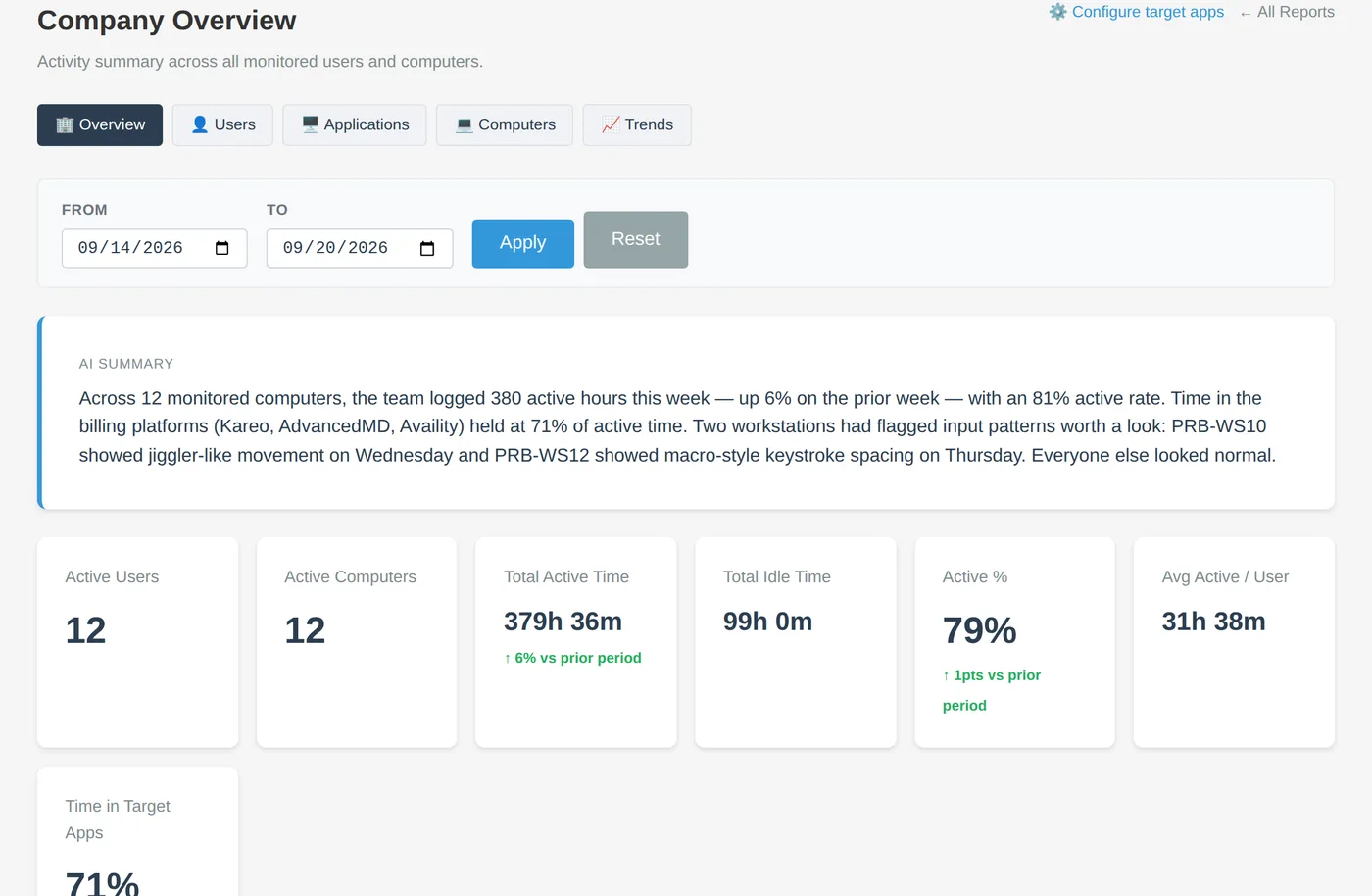
The Company Overview report. Sample data — company and people are fictional.
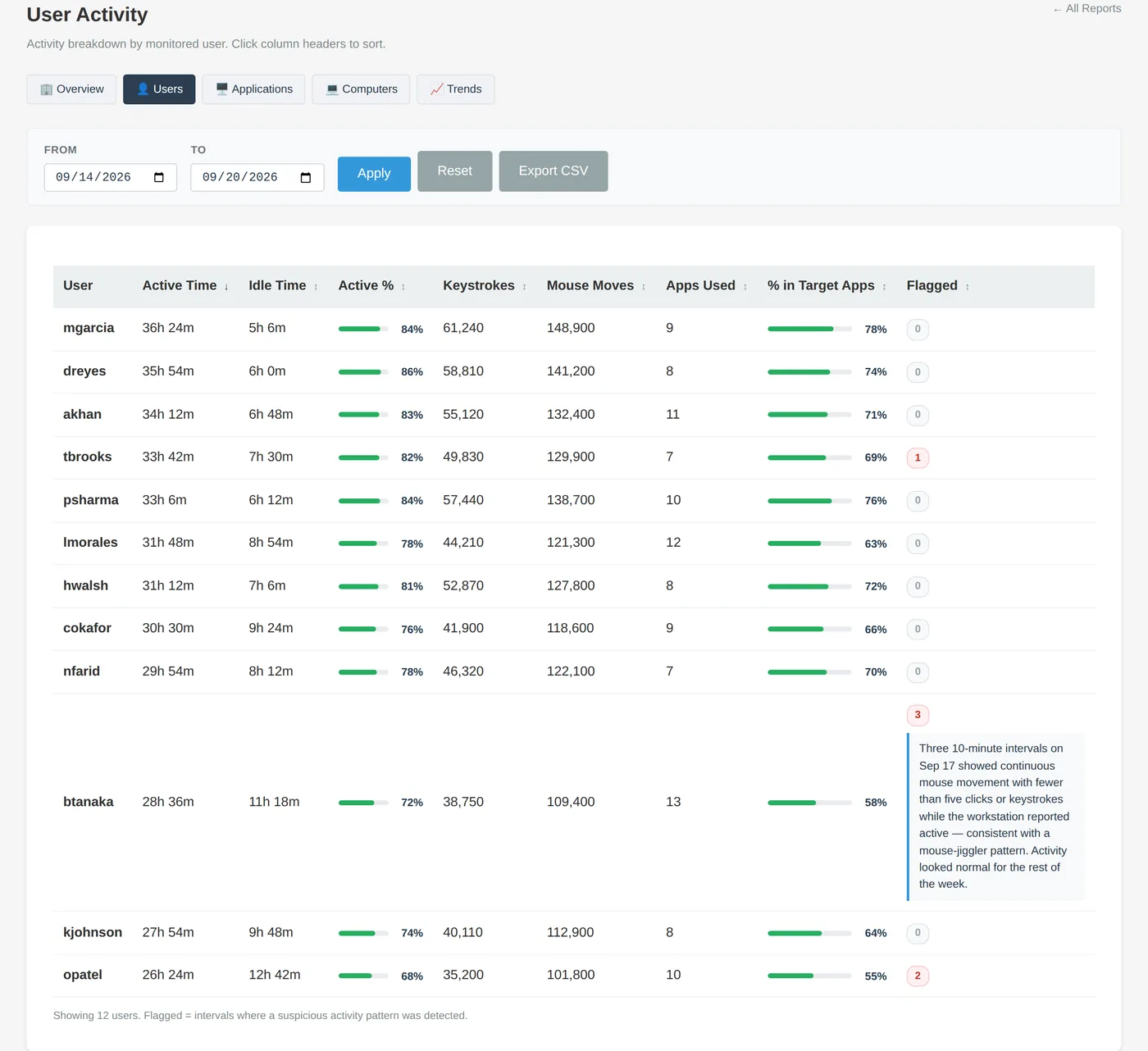
Every screen below is the real product with sample data.
Active vs. idle time per person and per computer, plus the share of active time spent in the billing systems you designate as target apps. Sort by any column, filter by date, export to CSV.

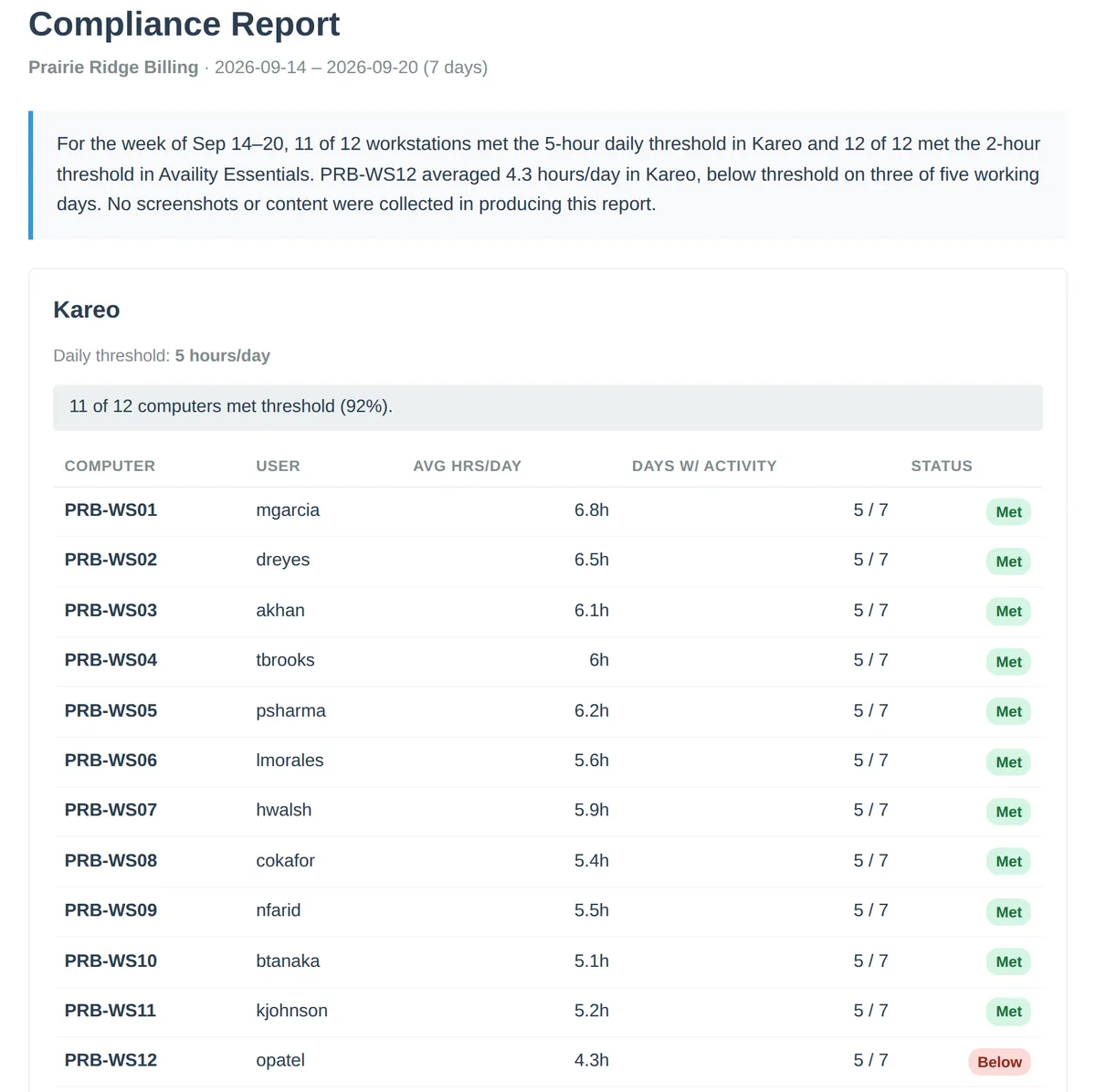
Set a daily-hours threshold for each target app and generate a signed, shareable compliance report: which computers met it, which didn't, and by how much. Hand it to a practice, an auditor, or your own file.

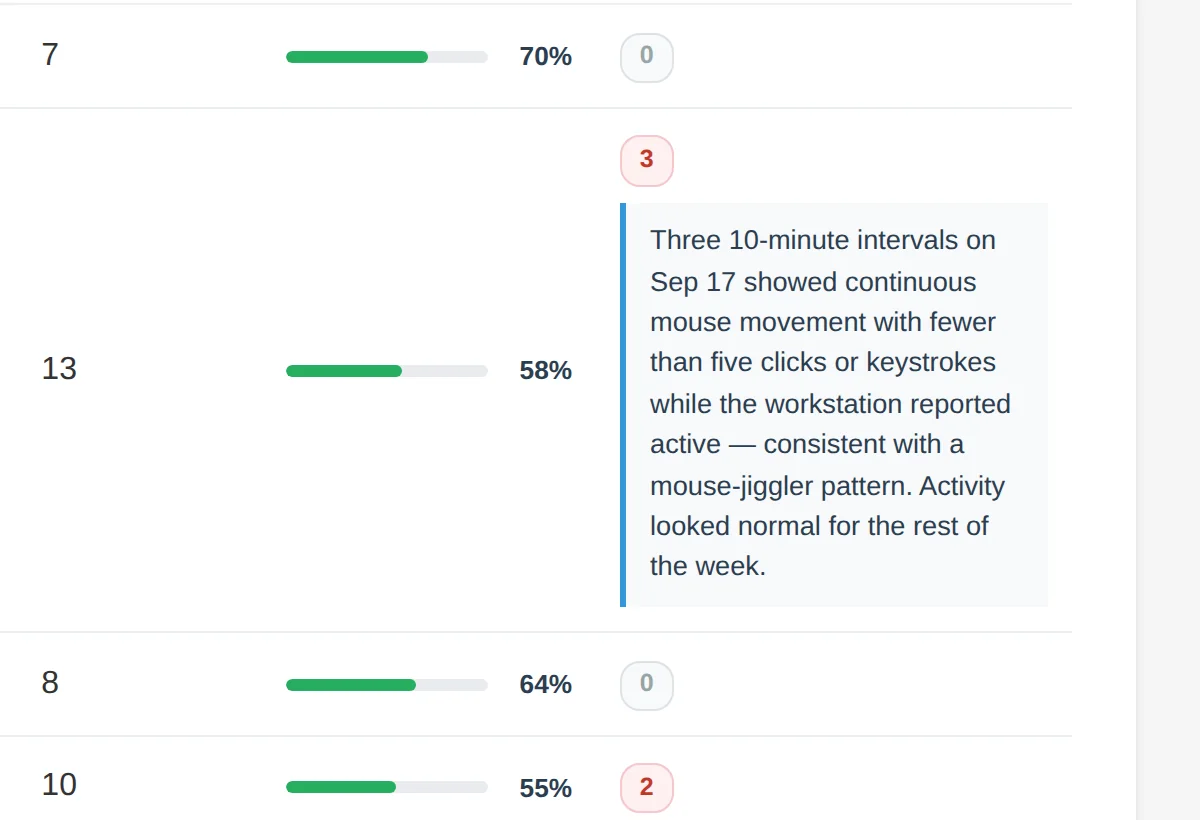
Mouse jigglers, auto-clickers, and macro typing are flagged automatically, with a plain-English explanation of what was seen. Thresholds are conservative on purpose — you'll get fewer flags and trust every one.

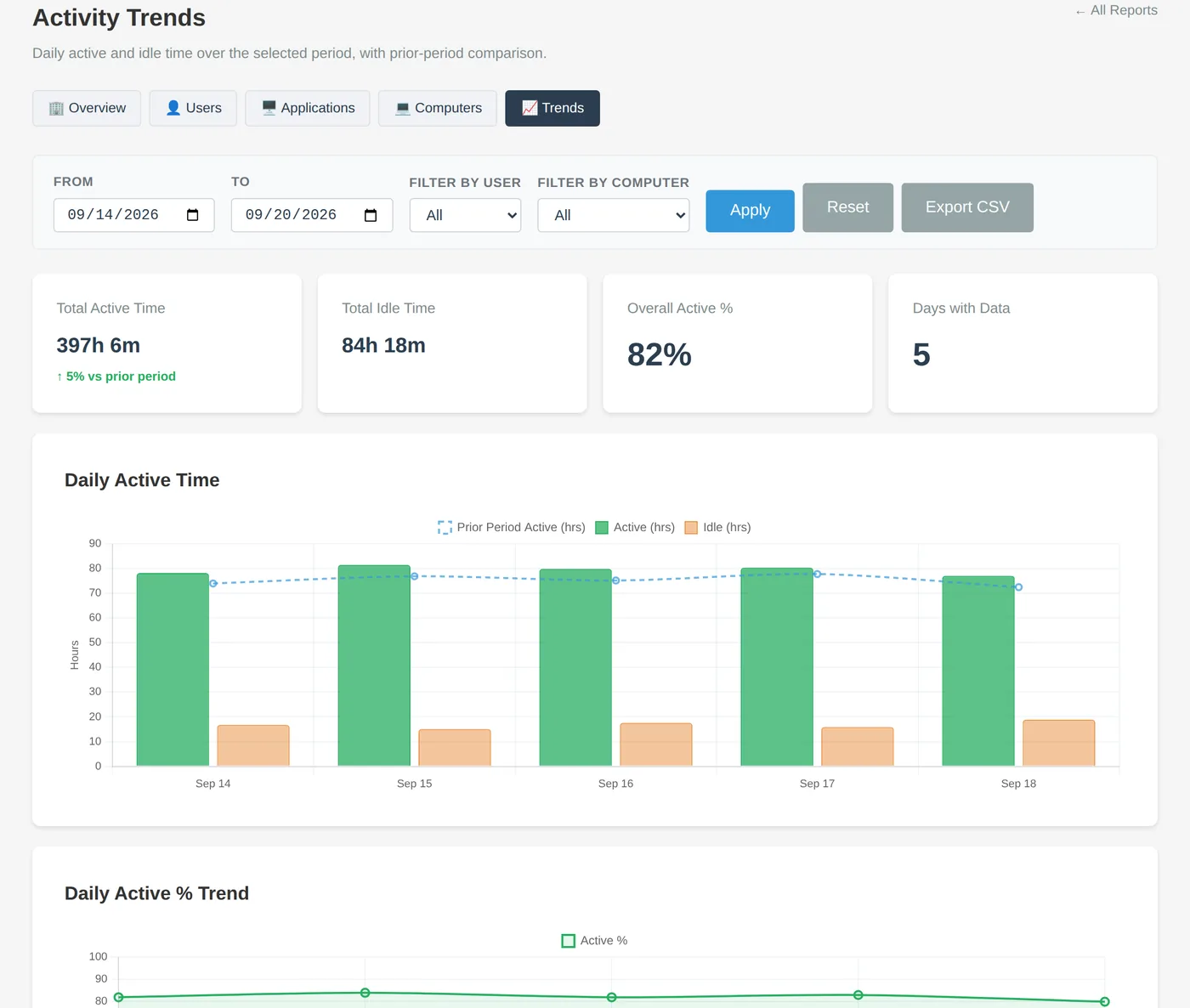
Daily active and idle hours against the prior period, threshold alerts by email when a day falls short, and a weekly digest with an AI-written summary so you don't have to open the dashboard to know.

Your team looks at charts, claims, EOBs, and member IDs all day. Monitoring that captures screens or keystrokes turns the monitoring vendor into another place PHI lives. We designed around that problem instead of into it.
We don't call CAM "HIPAA compliant" — compliance is a property of your program, not a product badge. Many billing offices conclude that no BAA is needed because CAM does not receive PHI in normal operation. Review it with your compliance officer; we'll answer their questions directly.
Illustrative report payload. Field names simplified.
Per monitored computer, not per user — shared front-desk and coding stations count once. Billed by invoice, monthly by PayPal autopay or annually with net terms. No credit card, ever.
Dashboard ready the moment you sign up. We run the servers, backups, and updates.
No card. Nothing is charged automatically — we invoice only if you decide to continue.
Run the agent API and database on your own Linux server. Add the reporting suite and email support for $4 per computer per month.
Or read the self-hosting guide.
A business associate agreement is required when a vendor creates, receives, maintains, or transmits PHI on your behalf. CAM is designed not to: no screenshots, no keystroke content, no document or message content, application names only for desktop software, and scrubbed, truncated page titles for browser tabs. Most billing offices conclude that no BAA is needed. We're glad to walk your compliance officer through exactly what the agent sends.
Per computer. A shared station with three Windows profiles is one computer on your invoice, and reports still break activity out by user.
Plainly, and before you install it — our terms require that employees are notified. Use the free employee notice template: it explains what is and isn't collected in one page. Teams take it well when they learn there are no screenshots and no keystroke capture.
Yes. Designate the apps your team should be in (say, the practice's PM system and the clearinghouse), set a daily-hours threshold, and generate a compliance report for any date range. The report is signed and shareable by link, so a practice manager can open it without an account.
The agent works on any Windows PC with an internet connection and reports every 10 minutes. If the connection drops, it buffers locally and catches up when it's back, so home-office outages don't leave gaps.
Nothing is charged automatically. You'll get a reminder in the dashboard and by email with a one-click "request an invoice" step. Continue and we invoice you; don't, and you can export everything to CSV. Cancelling is one email.
Free for 60 days, no credit card, first report within minutes of installing the agent. Or book 15 minutes and we'll show you.
Questions? hello@computeractivitymonitor.com — a person replies within a business day.